A Unified Complaint Management Platform for Every Organization You Serve Run multiple companies on one secure system—each with its own admin, roles, and branding—while you stay in full control.


Role-Based Workflows from Report to Resolution

Web Dashboard + Flutter Mobile App

Powerful Reporting & Exports
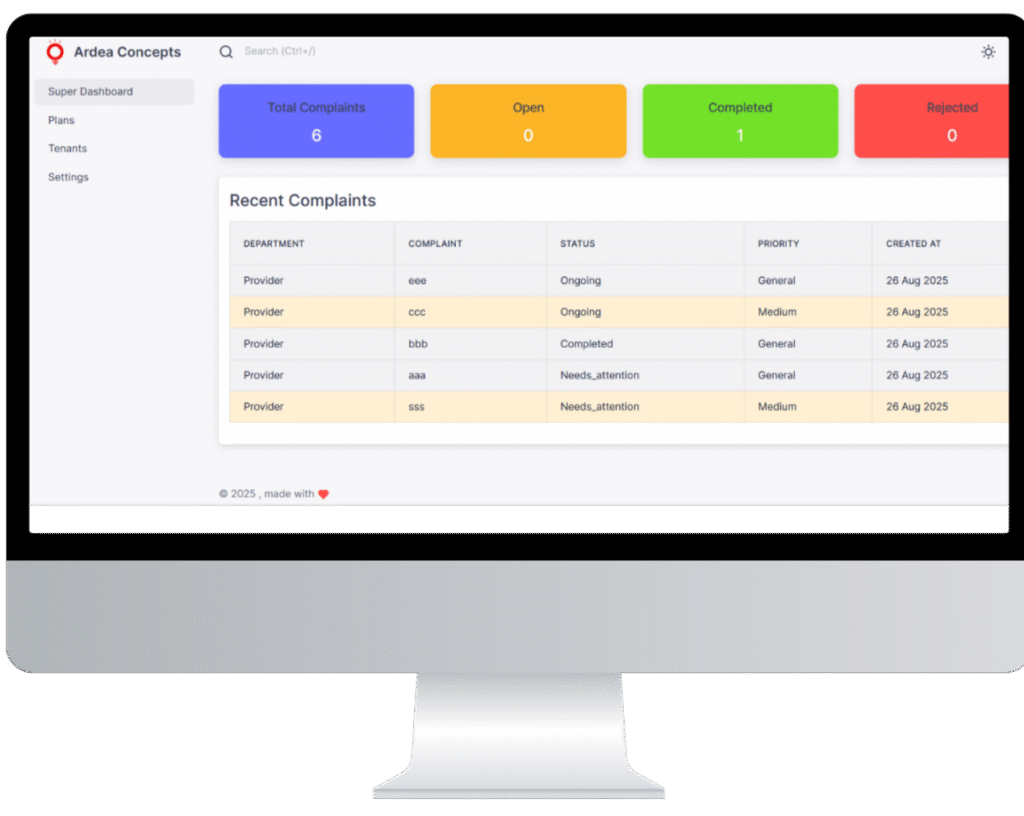
About us Complaint Management Platform
- Role-Based Access – From end users submitting complaints to service providers resolving them and admins approving, every role has a defined workflow.
- Seamless Process Flow – Capture complaints, assign tasks, track progress, and close with admin approval—all in a structured lifecycle.
- Web + Mobile Access – With both a web dashboard and a Flutter mobile app, users can access the system anytime, anywhere.
- Powerful Reporting – Generate detailed reports, filter by departments, staff, or dates, and export to CSV for audits and analysis.
Workflows Role-Based Workflows
Admin (System & Quality Controller)
Key Responsibilities:
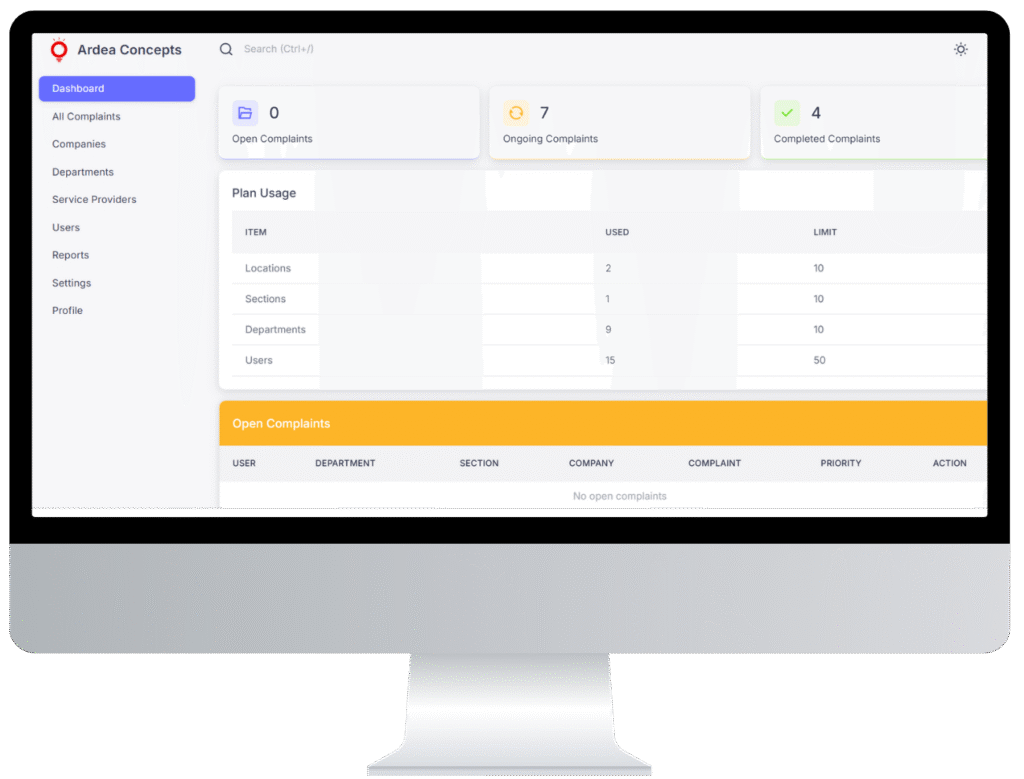
- Real-Time Dashboard – Monitor open, ongoing, and completed complaints across locations.
- Configuration Power – Set up locations, departments, and invite staff members.
- Approval & Quality Check – Review completed/flagged complaints; approve or reopen them for correction.
- Plan & Usage Tracking – Keep track of user counts, locations, and department usage under plan limits.
- Reporting & Export – Generate filtered reports and export CSV for audits, reviews, and analysis.
Service Provider (Executors & Problem Solvers)
Key Responsibilities:
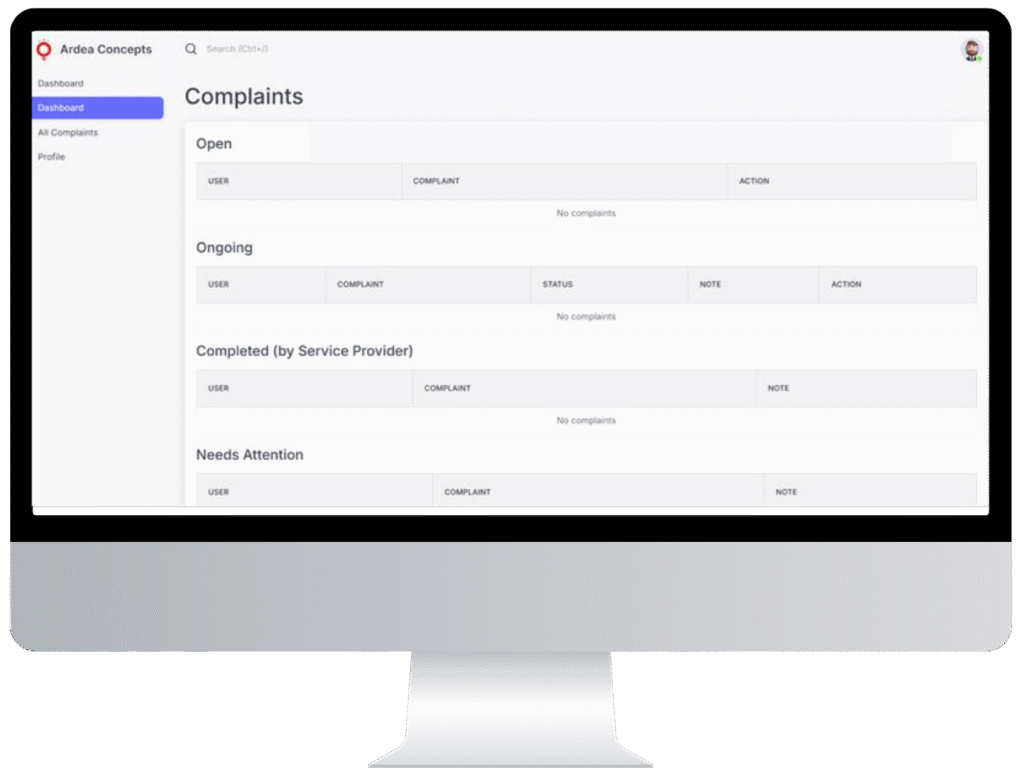
- Assigned Queue – Access a dedicated list of assigned complaints for clarity and focus.
- Mandatory Start Step – Complaints must be marked as Started before any work begins, improving accountability.
- Progress Updates – Add notes, attach updates, and track resolution progress for admins and users.
- Completion Workflow – Mark complaints as completed, which then move to Admin review.
- Transparent Handover – Ensure smooth handoff of resolved items for approval.

End User (Reporters & Stakeholders)
Key Responsibilities:
- Quick Registration/Login – Access system easily (if enabled by the tenant admin).
- Complaint Submission – File a complaint by selecting department, writing description, setting priority (High / Medium / General), and attaching images if needed.
- Real-Time Tracking – Monitor complaint status at every stage: Open → Ongoing → Completed / Needs Attention → Approved / Rejected.
- Transparency – Stay updated with notifications and status changes until the issue is fully resolved.
Reporting & Exports Reporting That Brings Clarity & Accountability
Filtered Reporting
Lifecycle Analysis
Track complaints through every stage—Open → Ongoing → Completed / Needs Attention → Approved / Rejected—to identify bottlenecks and measure turnaround times.
CSV Export
Trend Spotting
Transparency & Accountability
PLANS & LIMITS Simple Plans for Every Stage
Starter
- Up to 3 locations
- 25 users
- Core complaint workflows
- CSV exports
- Email support
Growth
- Up to 10 locations
- 100 users
- Advanced reporting filters
- Mobile app access
- Priority support
Enterprise
- Custom locations & users
- Feature toggles per tenant
- SSO & security reviews
- Dedicated success manager
- Email & Priority support
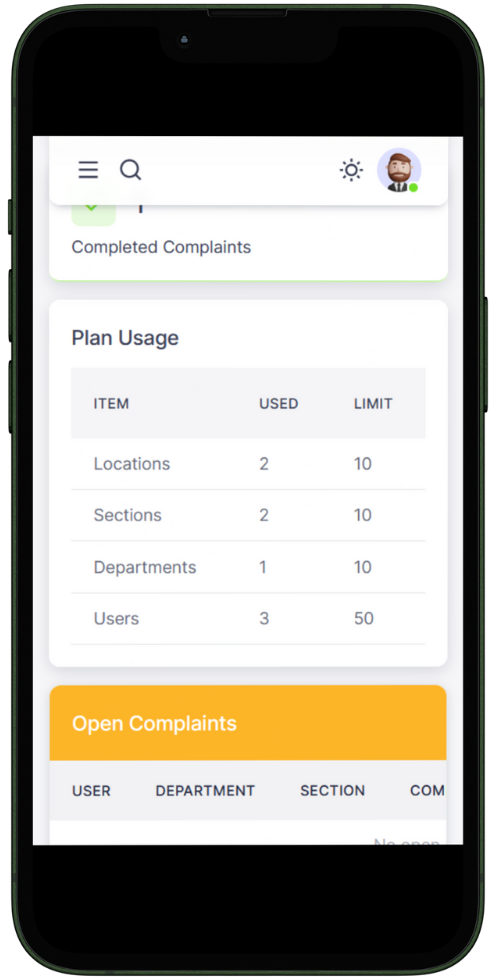

Mobile App A Mobile App Built for Speed & Simplicity
Our Flutter-based mobile app is built to simplify complaint management for every role in the system. End users can quickly raise issues by selecting the department, adding descriptions, attaching images, and setting priority levels. Service providers, on the other hand, see only their assigned tasks in a focused dashboard—making it easier to start, update, and complete complaints without distractions.
The app ensures secure, role-based access through tokenized authentication, keeping each organization’s data strictly separated. With real-time updates, both users and providers always know the exact status of every complaint—whether it’s open, ongoing, or resolved. Lightweight yet powerful, the Flutter build guarantees a fast, consistent experience across Android and iOS devices, keeping your teams connected anytime, anywhere.

Role-Based Login

Multi-Organization Access

Quick Complaint Submission

Service Provider Tools

Real-Time Updates

Cross-Platform Access
FAQS Frequently Asked Questions
Can multiple companies run on the same system?
Yes. Each company gets its own admin, branding, and data separation—while you manage everything from one platform.
How do service providers work?
What does the admin approve?
Do you support CSV export?
Is there a mobile app?